Design-to-code workflows are moving fast, and I wanted to see for myself how the different options actually stack up. So I took one design and built it five different ways: Figma MCP alone, Claude Code alone, Claude Code + Figma MCP, Figma Make, and Lovable. The most surprising finding? Giving Claude access to my Figma file actually made the output worse.
The Test Case
I used the variables and components in my Figma design system to create a site for an imaginary pet rescue and designed a table view where users can sort, filter, and search, as well as select pets and see dropdown menus for different actions. I wanted to have a bit more interaction that just a basic landing page without it becoming a major design project in and of itself.
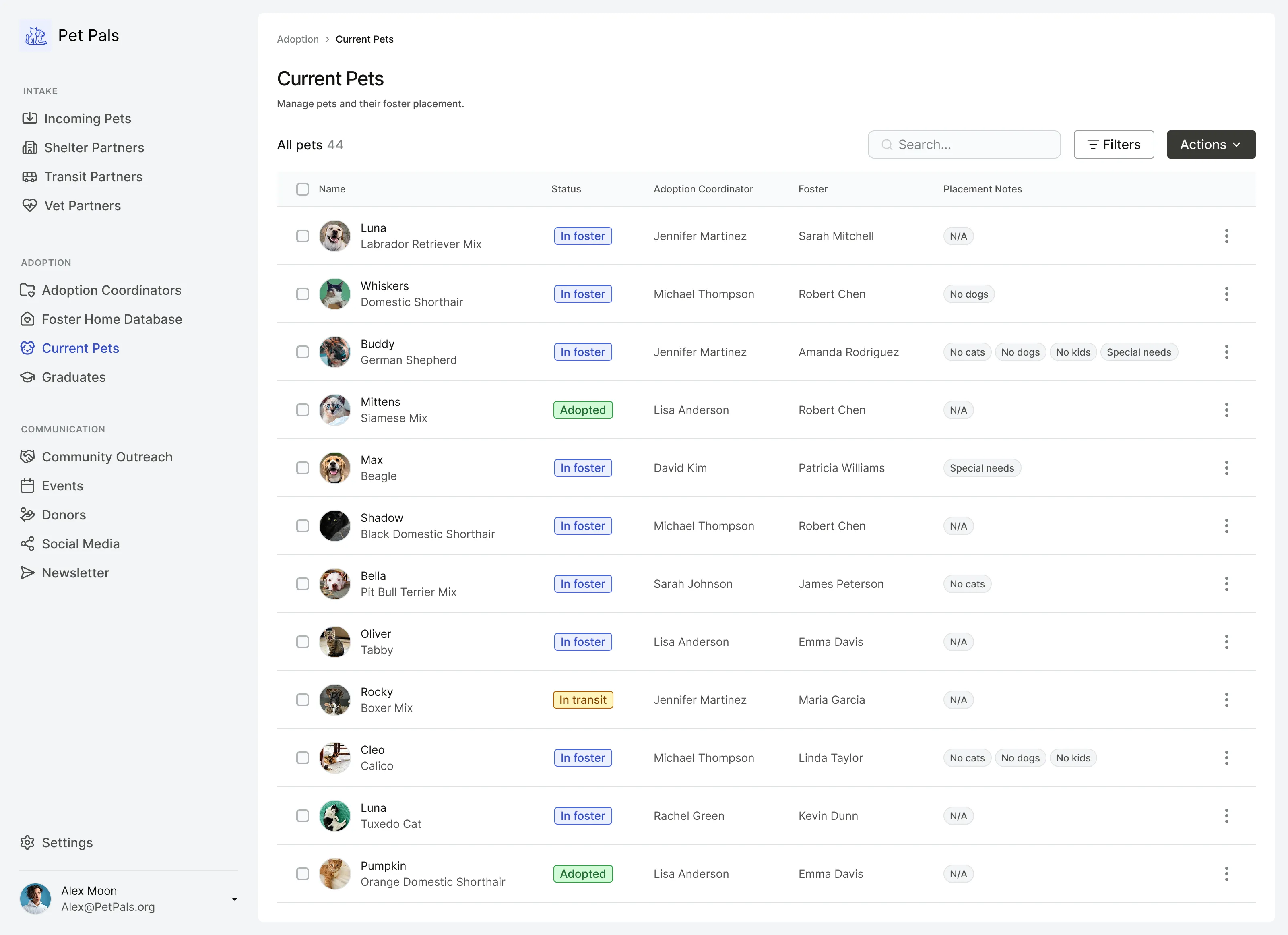
I used Claude to create a json file with the information that would be populating the table, and sourced the images from Unspalsh.
Once I had the design and data in place I started testing different design-to-code workflows.
Five Workflows, Same Design
Figma MCP
For this version I used the Figma MCP server and told Claude Code to code the design using the components from Figma, with no access to the coded components. I did not give it access to the json file, leaving it to pull the data from the Figma file.
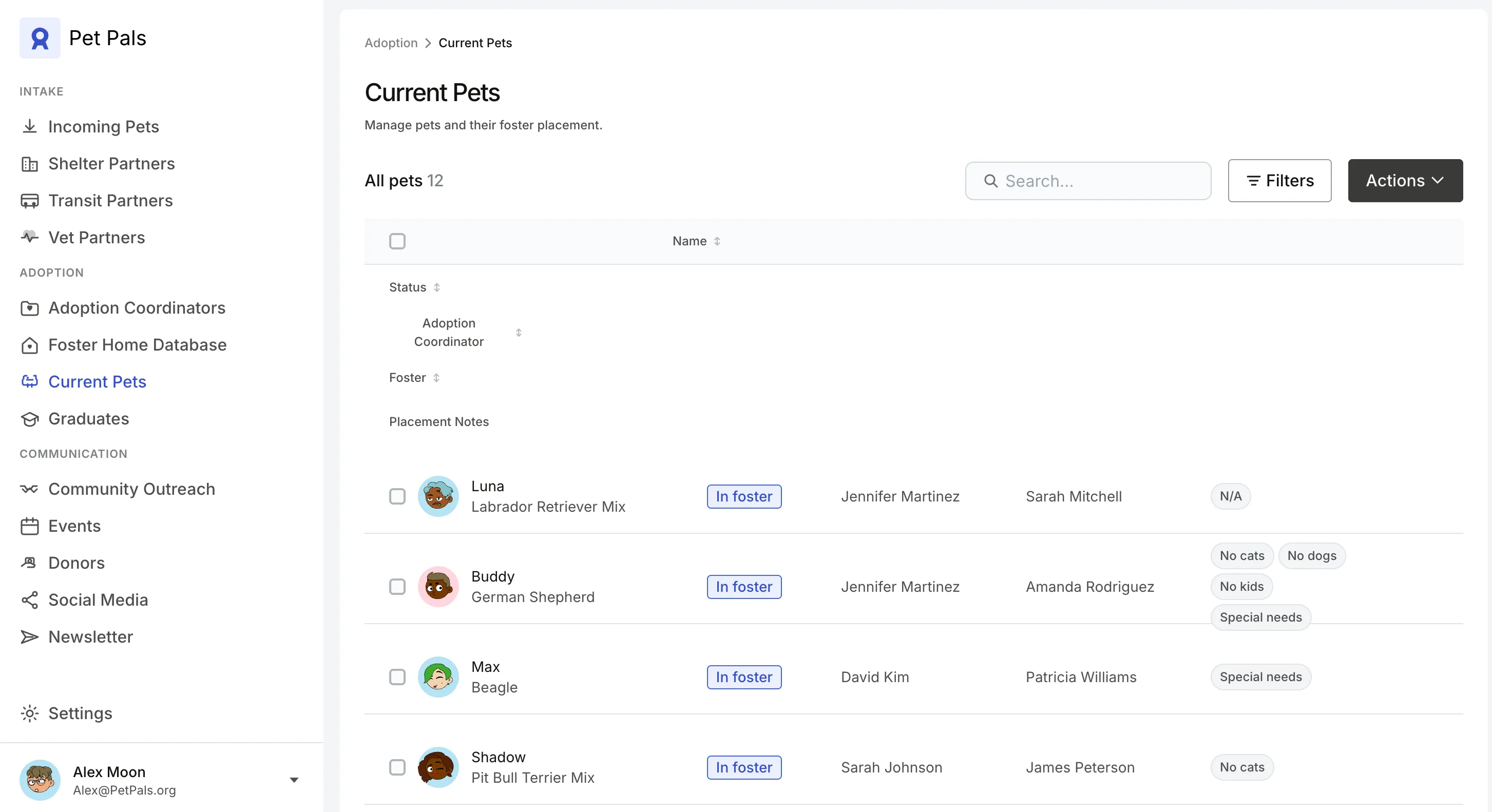
While it did use the Figma components appropriately, it struggled with the other elements. Instead of the images in my file it used cartoon avatars of humans. It looks like it tried to redraw the icons in the sidebar, the table headers were stacked vertically, and it hallucinated some new pets and changed the status of existing ones.
Claude Code
For this version I prompted Claude Code with my design brief and provided the json file with the data for the table and instructed it to code the screen using the token and component libraries. I did not give it access to the Figma file.
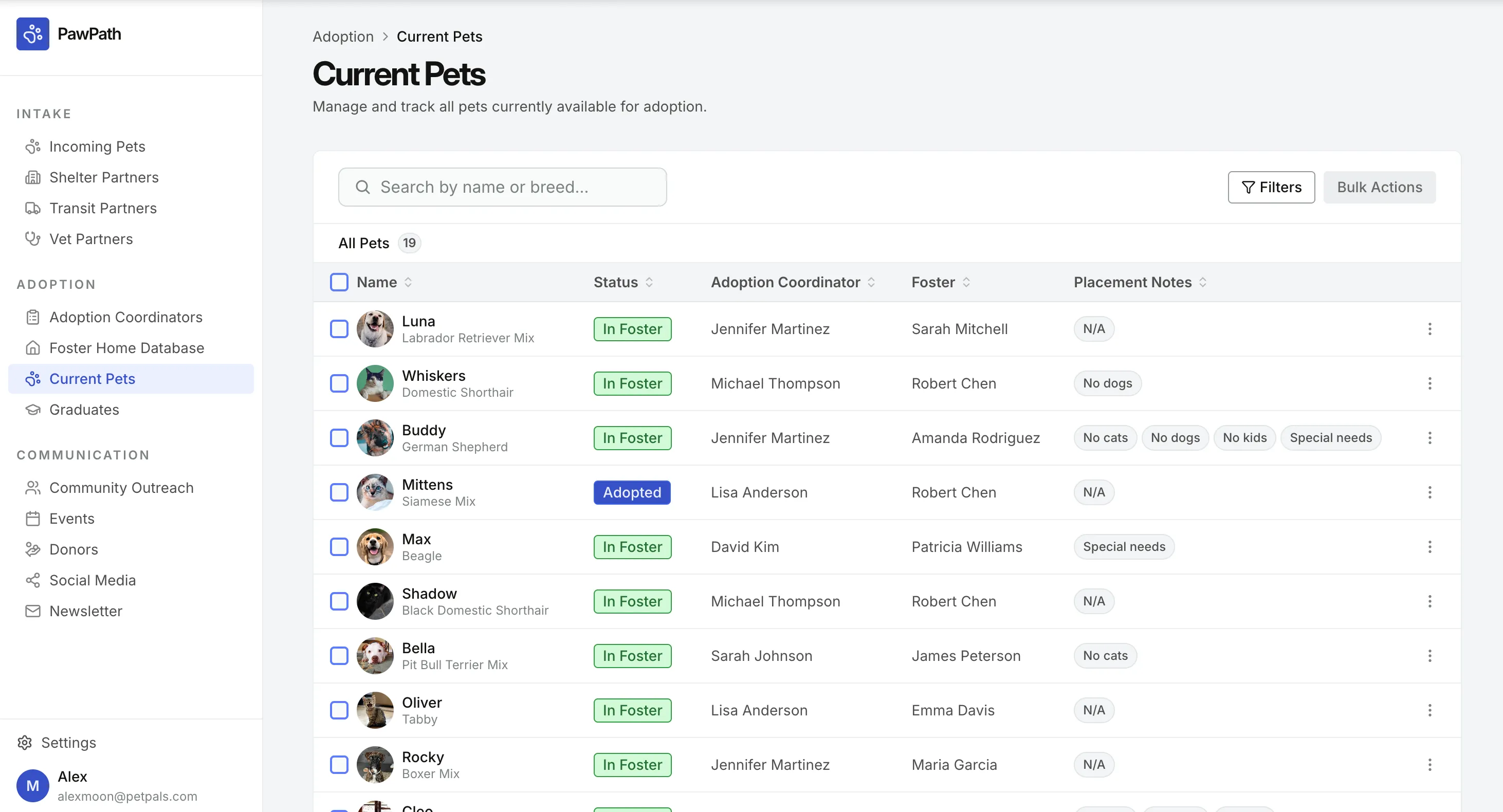
This one came out really well overall. I told it to use Lucide Icons, but didn’t specify which ones and the icons it selected were really close to the ones I used. It used the components faithfully, aside from using the accent color on the checkboxes.
Claude + Figma MCP
In this version I used the same prompt and json file, but also used the Figma MCP server to allow it to view the Figma design and components. I instructed it to still use the coded token and component libraries and use Figma as a reference.
View the Claude Code + Figma MCP site
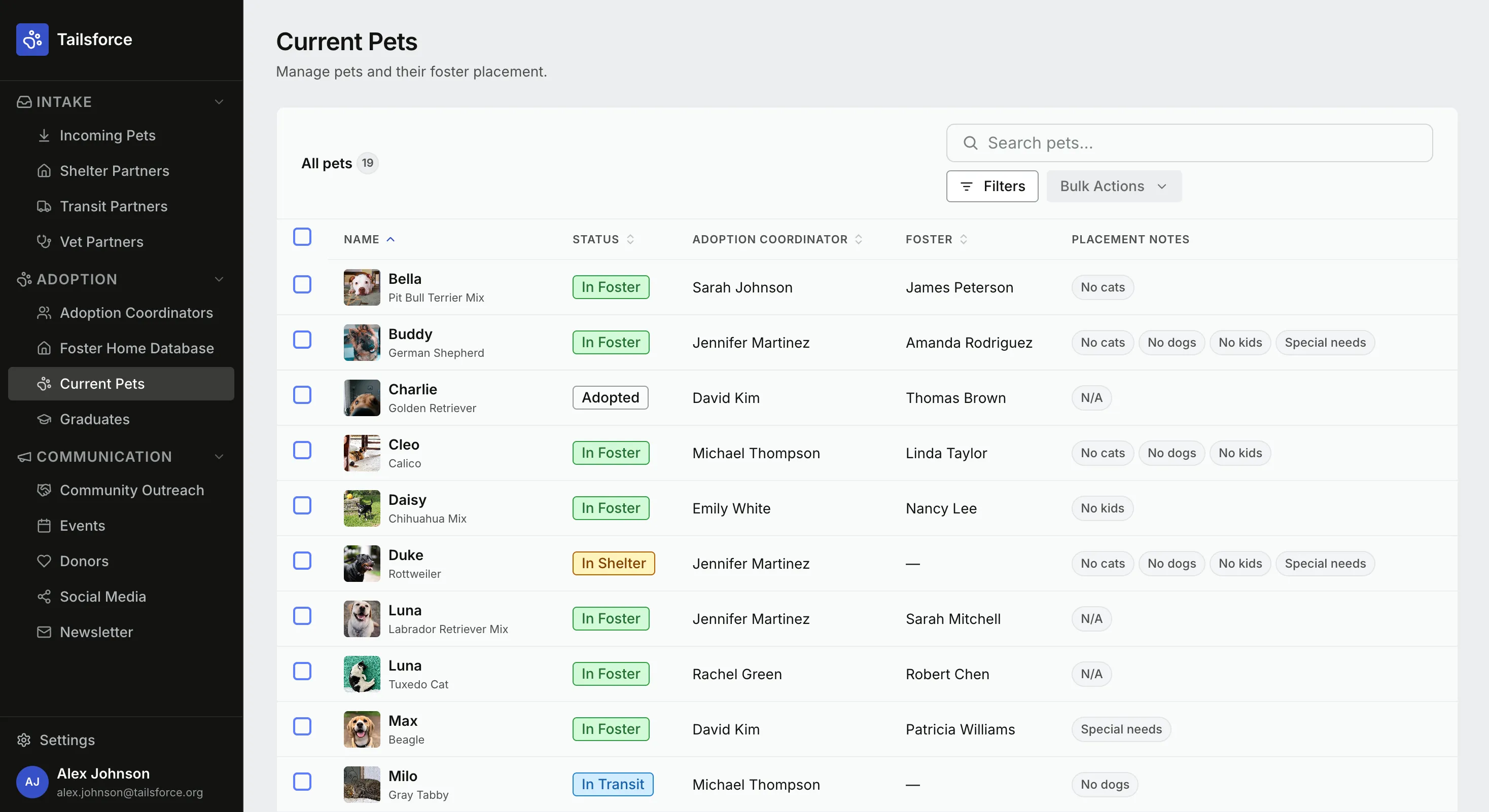
Like the Claude only version, this one used the accent color for the checkbox border. It also stacked the search box over the filter and action buttons and for some reason changed the sidebar to dark mode and added icons to the category headers.
This one was the most surprising to me. I would have expected that the extra context from the Figma MCP would have led to a more faithful reproduction of my design, but it was actually worse than the Claude only version.
Figma Make
You’d think Figma’s own code generation tool would at least be able to faithfully reproduce a Figma design. You’d be wrong.
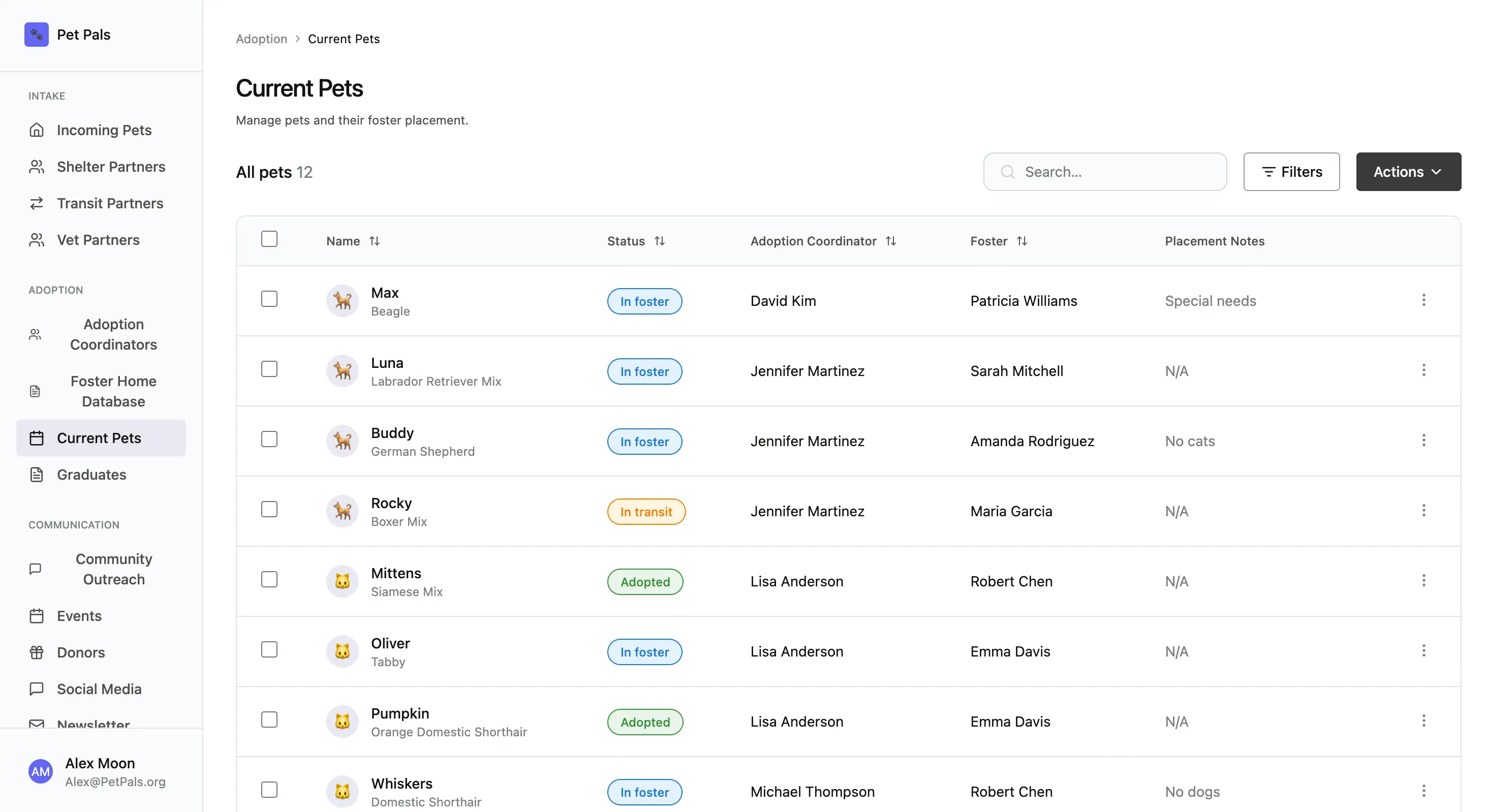
I was kind of surprised to find that by default it didn’t use the components or variables from my design files. It also replaced the pet images with emojis and kind of went rogue with the sidebar, completely changing some of the icons, centering some of the page names, and removing the settings option.
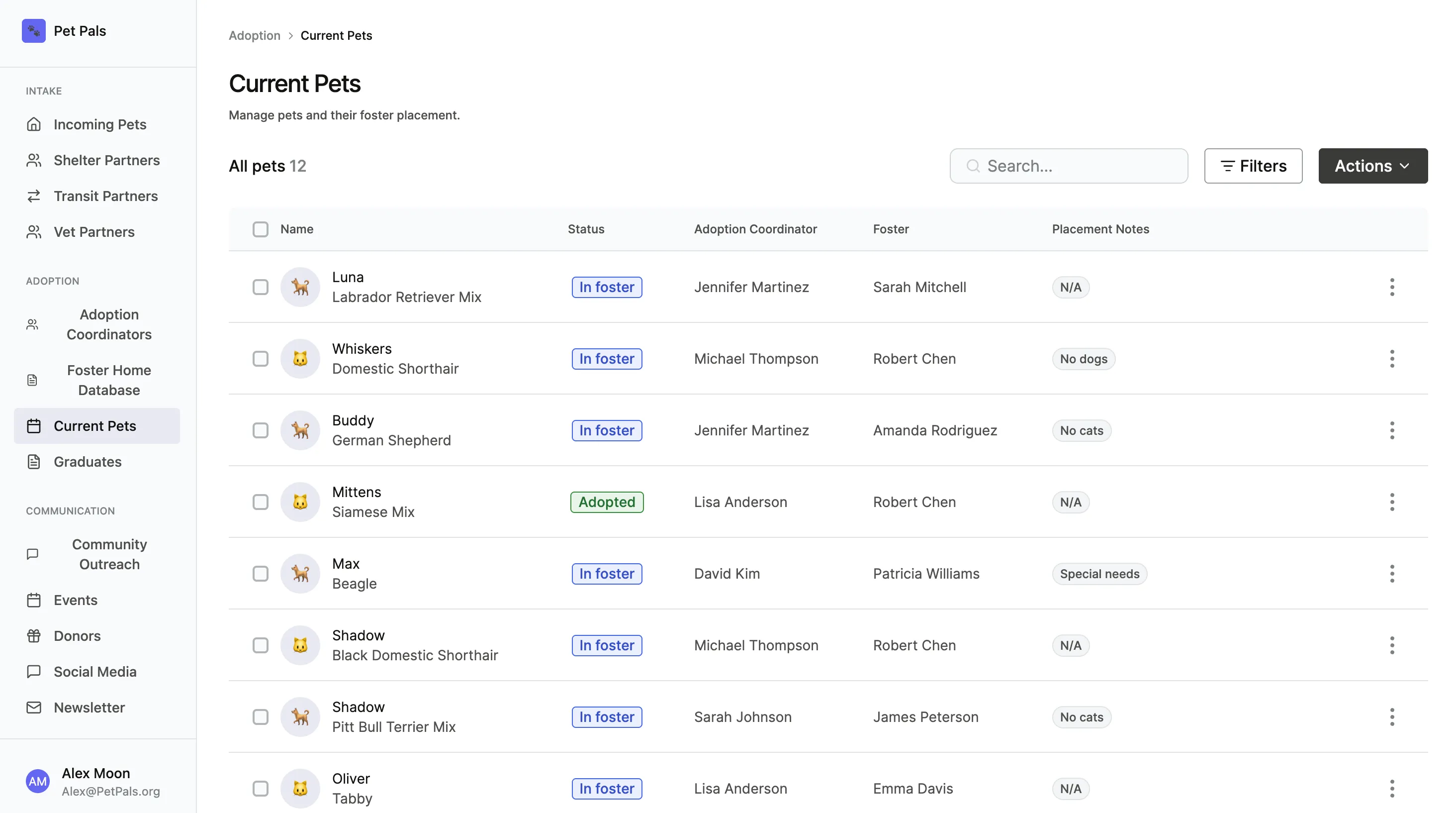
After a second prompt, instructing it to use my components and variables, it came back with a version that at least used the correct components, though the other problems remained.
I’ve only used Figma Make a handful of times, but it has always been disappointing. This did nothing to improve my opinion of it.
Lovable
Finally, I tried creating the same design in Lovable using just a prompt, with no access to my components, design, or json file.
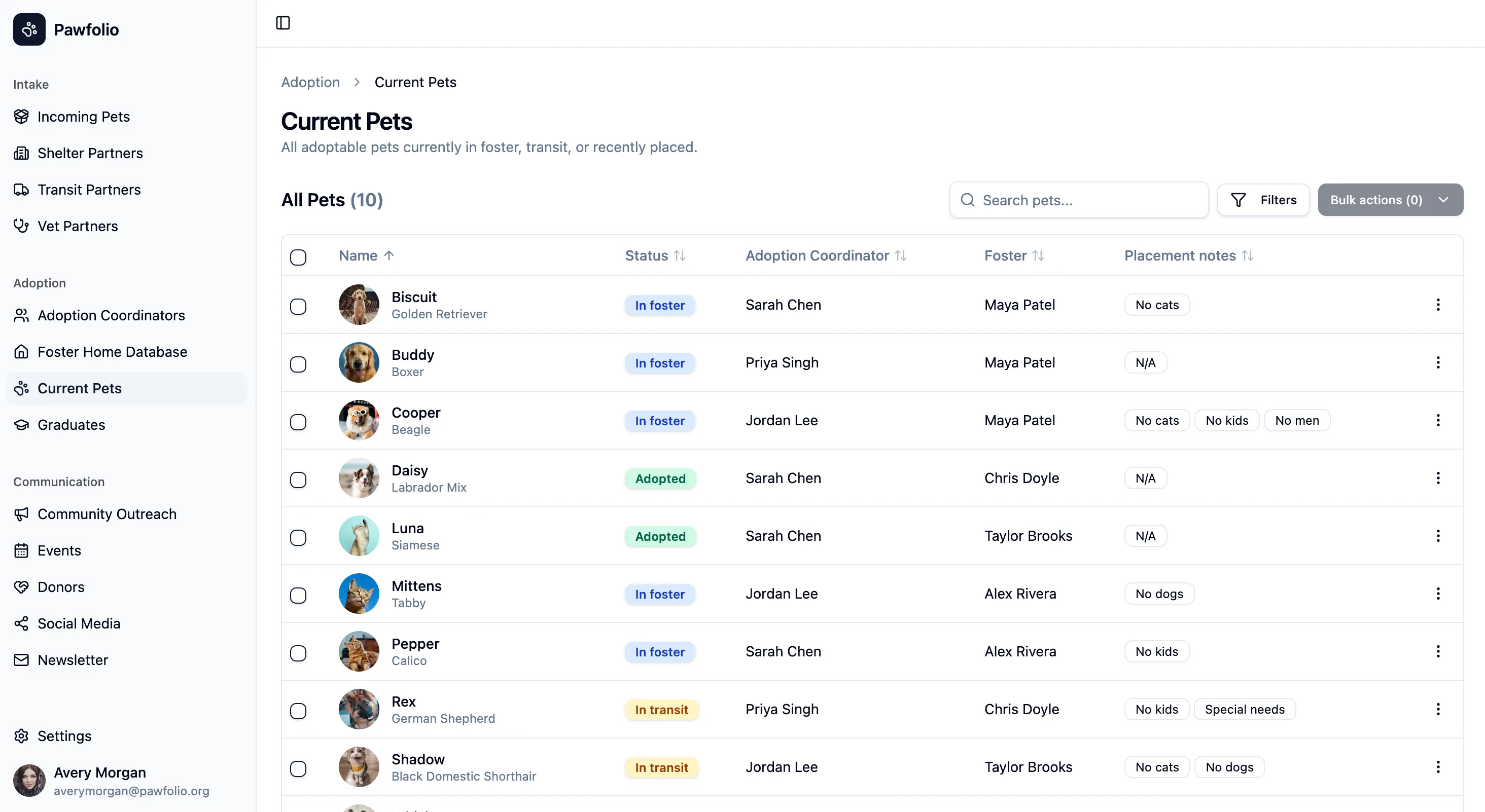
Even though it wasn’t using my data or design system the site it produced was actually quite close to my design. In fact, it got the top of the table closer to my design than any of the other versions.
Conclusion - When I’d Reach for Each Workflow
Claude Code
If I were starting from scratch and had access to the design system in code.
Figma MCP + Claude
If I had an existing design in Figma, and had access to the design system in both design and code, and they were in sync.
Figma MCP
If I already had a design in Figma and had access to the Figma MCP but not the coded components.
Vibe coding tools (Lovable, v0, Bolt, etc)
If I were just working on a proof on concept and didn’t need the context of my own components or data.
Figma Make
If I had no other choice.